Workflows on Mistral: the relay
Two models, one workflow, side by side
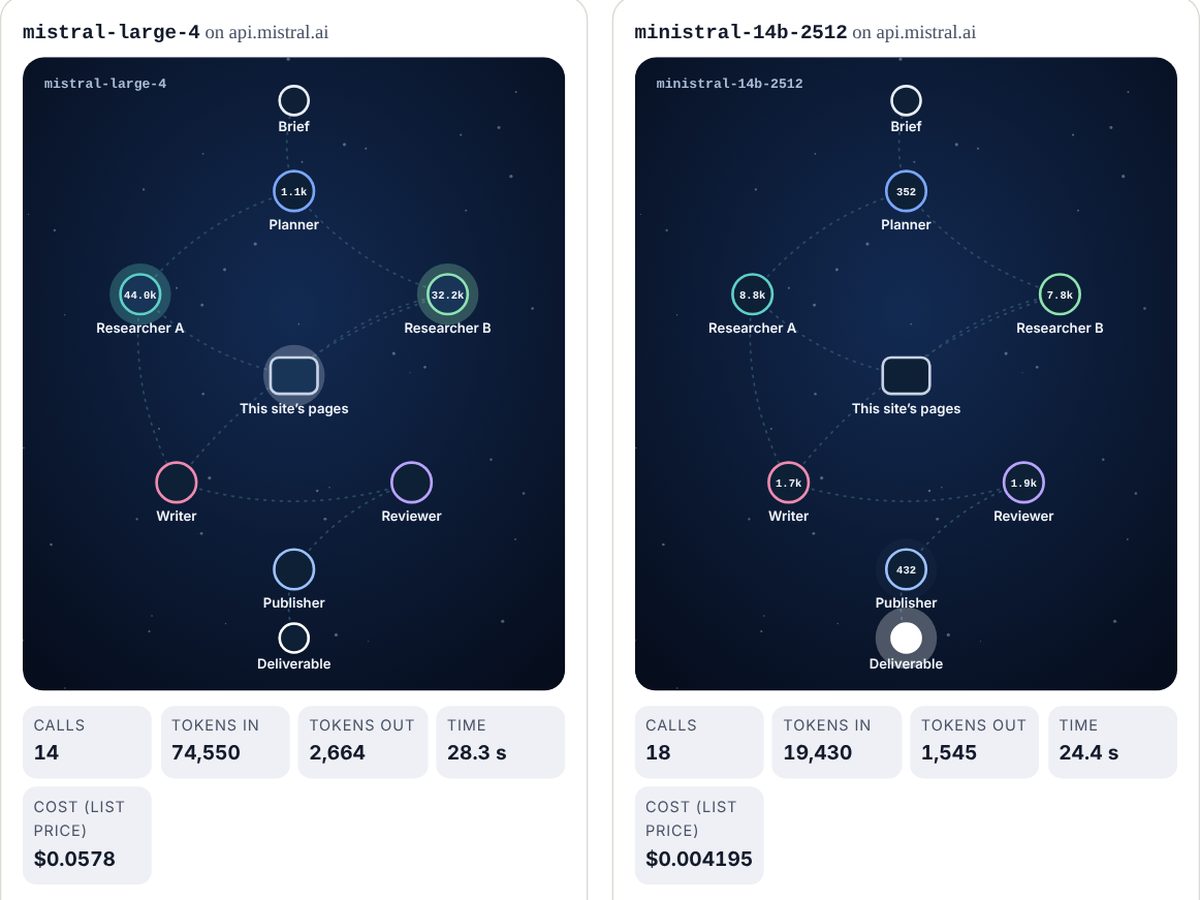
A planner splits a brief between two researchers, who search and read this site's own pages with tools; a writer drafts from what they found, a reviewer approves or sends it back once, and a publisher publishes. Six agents, all on Mistral with function calling. Here the same workflow runs on two models at once, in two lanes, so you can watch their paths, and compare their tokens, time, cost and what they got right.
What we found
Two recorded runs on api.mistral.ai, 21 November 2026, 03:04 and 03:05 UTC, both lanes of each at the same time, temperature 0.2, the brief below. One run each: not a benchmark.
mistral-large-4was the most thorough and by far the dearest: 56 tool calls on the site's pages, 10 of 10 quotes found word for word on the page named, a guide its reviewer approved at the first draft. It took 77.2 s and 103,763 tokens in, about $0.095 at list price. In an earlier try, with six turns per researcher, its researchers were still searching when their turns ran out and handed over nothing, so the writer refused to write; with eight turns it finished.mistral-small-2603was the quickest: 12.2 s, 14 calls, about $0.003, and 7 of 7 quotes found. Its reviewer caught a real error in the second draft (it said the swarm runner needs no key, where a finding says it needs one), but the workflow allows one revision, so the publisher published it anyway. Our checks show the reviewer's flag on the result.ministral-8b-2512found 4 of its 6 quotes, wrote four items where the brief asked for three, cited no finding by number, and linked every page on a made-up address, your-site.com. The checks flag all four links.ministral-14b-2512found 5 of 6 quotes and cited three findings; its reviewer asked for a revision twice, about which page to open, and the guide was published after the one allowed.- The reviewers' verdicts are model output and do not always agree with our checks; the checks are made in code on this page, from what the tools returned.
1. Replay a recorded run (no key needed)
The real runs, saved as files on this site with every message, tool call and token count. Replaying sends nothing anywhere.
The two lanes
Each lane: the brief at the top, the planner, the two researchers and the site's pages they search and read, the writer and the reviewer, the publisher, and the deliverable. A dot is a message or a tool call, in the colour of the agent that sent it; the number on a node is the tokens it has used. The same messages are listed under each drawing.
Lane A: press Replay, or run it live below.
Lane B: press Replay, or run it live below.
2. Your Mistral key
Your key stays in this tab's memory and goes only to the Mistral endpoint you choose.
If your browser offers to save this key as a password, choose Never.
No key set.
Mistral's Free mode: what you send may be used to train Mistral's models unless you switch that off, so say nothing confidential.
Your key as a QR code
If you were given your key as a QR code: open its link on this device (the key comes after "#" in the link, and this page takes it from there), or paste or drop a picture of the QR code below. The picture is read here, in this tab, and sent nowhere.
Paste a picture of the QR code here (Ctrl+V, or Cmd+V on a Mac), or drop it here
What happens to a key from a QR code
Opened as a link: the browser never sends the part after "#" to any server, and this page removes it from the address bar and this tab's history the moment it loads. Your camera app or browser may still keep the link in its own history, so treat that link like the key itself, and revoke the key in your Mistral console after the event. As a picture: decoded with your browser's own QR reader or, where it has none, jsQR, a copy kept on this site. Either way the page asks you first whether to use it, because anyone can send a link with their own key in it; then the key goes into the key box above, held in this tab's memory only, and is never shown.
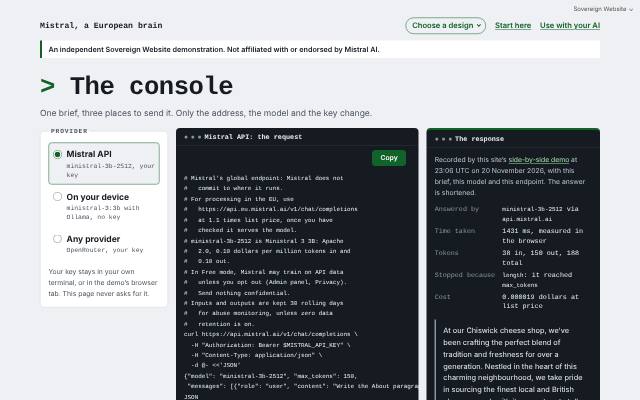
Where your key goes
It goes in the Authorization header, and only when you press a button that sends something to Mistral. It is never stored, never shown, never sent to this site, and gone when you close or reload the tab. Use a key with a spending limit.
On Mistral's free plan, what you send through the API may be used to train Mistral's models unless you switch that off in your Mistral admin panel (how to opt out, as read on 21 November 2026).
3. Run it live, on your key
Both lanes start at once and run in your browser. Each makes about 10 to 20 calls; with the Ministral models and Small 4 a run costs well under one US cent at list price, with Large 4 about ten cents (from our recorded runs).
What this call sends, and to whom
Every call to Mistral made from this tab
| Time | To | Model | For | What was sent | Status | Time taken | Usage and cost |
|---|---|---|---|---|---|---|---|
| No calls yet. Nothing has been sent from this tab. | |||||||
Kept in memory in this tab only. Cost is an estimate from Mistral's published list prices (pricing, as read on 21 November 2026). Not an invoice.
How it works, and what it does not claim
- The workflow is one file, relay.js, run unchanged by the recorder and by this page. The agents talk through Mistral's function calling (function calling, as read on 21 November 2026): the planner must call
assign_research, the researcherssearch_site,read_pageandreport_findings, the reviewerreviewand the publisherpublish. A researcher has eight turns; on the last it may only report. - The site's pages are a file of their visible text on this site, the one the voice demo uses: the tools read that file, in your tab, and nothing else.
- The checks are code, not a model: each researcher's quote must appear word for word on the page it names; only checked findings reach the writer; the published text is checked for citations, links away from this site and length.
- Cost is from Mistral's list prices (pricing, as read on 21 November 2026): Ministral 3 8B $0.15 in and out, Ministral 3 14B $0.20, Small 4 $0.15 in and $0.60 out, Large 4 $0.70 in and $2.10 out, per million tokens; times 1.1 on the EU endpoint.
- The drawing follows the views of the SGit-AI Web Summit stand: Angelo Leggio's graphs and live views, where each message is a glowing dot with a short tail that lights the node it reaches, and the Galaxy that Silvio Switha's dashboard agent built. The stand's code is Apache-2.0 (its repository); we redrew the idea in our own plain SVG, flow.js, because this page's security policy refuses inline styles and anything from another site.
- One run per pair, one brief, one day. Another run will differ.