In your browser: documents
From a document to your site
Choose a flyer, a leaflet or a menu, as a PDF or a picture. Mistral OCR turns it into text, a Mistral chat model picks out the facts an About section needs, each with the exact words it came from, and this page drafts that About section from those quoted words only. All from your browser, with your own Mistral key.
1. Watch a recorded run first (no key needed)
Recorded run, model output, mistral-ocr-latest and ministral-8b-2512, 2026-11-21 01:12 UTC
Our fictional sample flyer, sent through Mistral OCR and the facts step on the global endpoint, saved as a file on this site. Replaying it sends nothing anywhere: the page reads the file and shows it with the same code as a live run.
2. Your Mistral key
Your key stays in this tab's memory and goes only to the Mistral endpoint you choose.
If your browser offers to save this key as a password, choose Never.
No key set.
Mistral's Free mode: what you send may be used to train Mistral's models unless you switch that off, so send nothing confidential.
Where your key goes
It goes in the Authorization header, and only when you press a button that sends something. It is never stored, never shown, never sent to this site, and gone when you close or reload the tab. Use a key with a spending limit.
On Mistral's free plan, what you send through the API may be used to train Mistral's models unless you switch that off in your Mistral admin panel (how to opt out, as read on 21 November 2026).
3. Choose a document
Your file, plainly. Choosing a file does not send it anywhere: your browser reads it into this tab. It goes to one place only, Mistral's OCR endpoint, when you press "Send the document to Mistral OCR", as a base64 data URL inside the request (the way Mistral's OCR documentation describes). It never goes to this site, and nothing is kept after you close the tab. Mistral's own terms apply to what you send it, so do not send anything private.
Your file is sent to Mistral (api.mistral.ai or the EU endpoint you chose) to be read. Do not use documents with other people's personal details or anything confidential; try the sample flyer instead.
Or use our fictional sample, a one-page flyer for a made-up bicycle repair workshop: PDF, PNG.
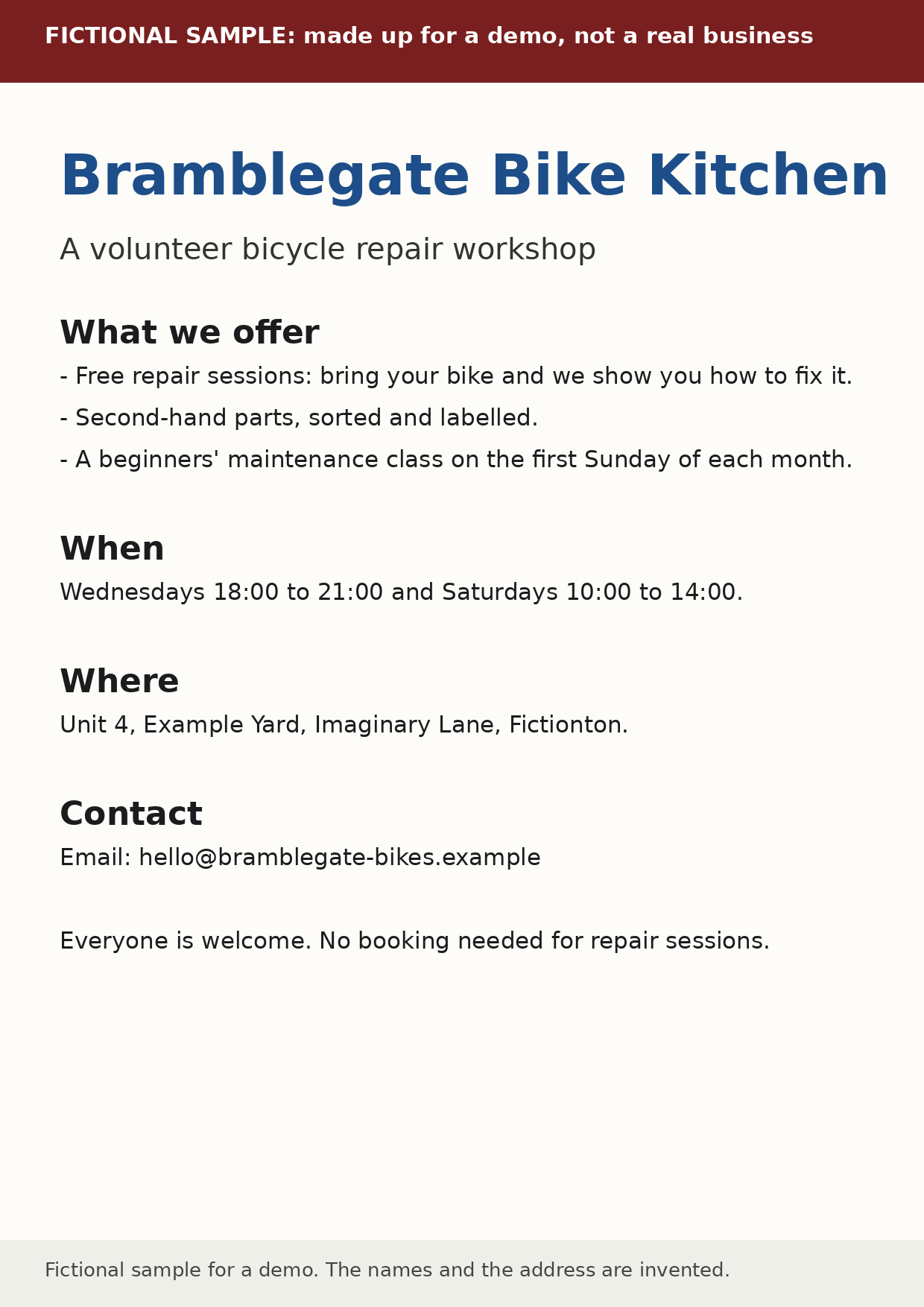
No document chosen.
4. Mistral OCR: the document as text
What this call sends, and to whom
Choose a document first.
What OCR read (model output, shown as plain text)
5. The facts, each with its quote
A chat model reads the text and answers in a fixed JSON shape (structured output with a JSON schema, custom structured outputs, as read on 21 November 2026): the name, what it offers, and a contact if there is one, each with the words it was taken from. This page then checks each quote against the OCR text, character for character apart from spacing, and drops any fact whose quote is not there.
What this call sends, and to whom
Run OCR first.
| Fact | The model's short version | Quoted from the document | Quote found? |
|---|
The JSON exactly as the model returned it
6. A draft About section
Built in this page, with no further call, from the quotes that were found in the document, word for word. Nothing in it comes from the model's own words. A draft for you to edit, not a page that has been published.
Extract the facts first.
Every call made from this tab
| Time | To | Model | For | What was sent | Status | Time taken | Usage and cost |
|---|---|---|---|---|---|---|---|
| No calls yet. Nothing has been sent from this tab. | |||||||
Kept in memory in this tab only. Cost is an estimate: pages or tokens as Mistral reports them, times its published list price (pricing, as read on 21 November 2026: OCR 4.1 at $4 per 1000 pages; mistral-ocr-latest was an alias of OCR 4.1 in GET /v1/models that day), times 1.1 on the EU endpoint. Not an invoice.
How it works, and what we checked
- OCR:
POST /v1/ocrwithmodeland adocumentof typedocument_url(for a PDF) orimage_url(for an image), each a base64 data URL; the answer haspages[].markdown(OCR processor, as read on 21 November 2026). No PDF library: the file is sent as it is. - Facts:
POST /v1/chat/completionswithresponse_formatof typejson_schema,strict. The OCR text goes to the model inside<document>markers, as data. - We sent both fictional samples through OCR on 21 November 2026, and the PDF's text through the facts step with ministral-8b-2512; all five of its quotes were found in the OCR text.
- Can a web page call them? On 21 November 2026 both
api.mistral.aiandapi.eu.mistral.aianswered the browser's preflight for/v1/ocrand/v1/chat/completionswithAccess-Control-Allow-Origin: *, allowing Authorization and Content-Type. We could test real documents only on the global endpoint.